
Monkeyzino Password Reset: Back In Within Minutes

Last checked: 11 July 2026
This page contains affiliate links. We may earn a commission at no extra cost to you.
Third wrong attempt and Monkeyzino stops being polite about it. A prompt appears with the heading "Wrong password again" and a blunt question: "Do you want to reset your password?" Take the offer. Guessing further just risks the lockout message about too many login attempts, and the reset itself takes three minutes end to end.
Below is the exact flow with the site's own wording at every screen, then the fixes for the classic snag: a reset email that never seems to arrive.
Do the reset on the real site. This button routes to the casino's current address; the "Forgot password?" link lives in its login window.
Log in to Monkeyzino18+ | Reset links only ever come from the casino's own emails
Step-by-Step: Resetting Your Password
Open the login window
Click Log in, top right on the official site. Under the password field you will find the "Forgot password?" link. Click it.
Request the reset link
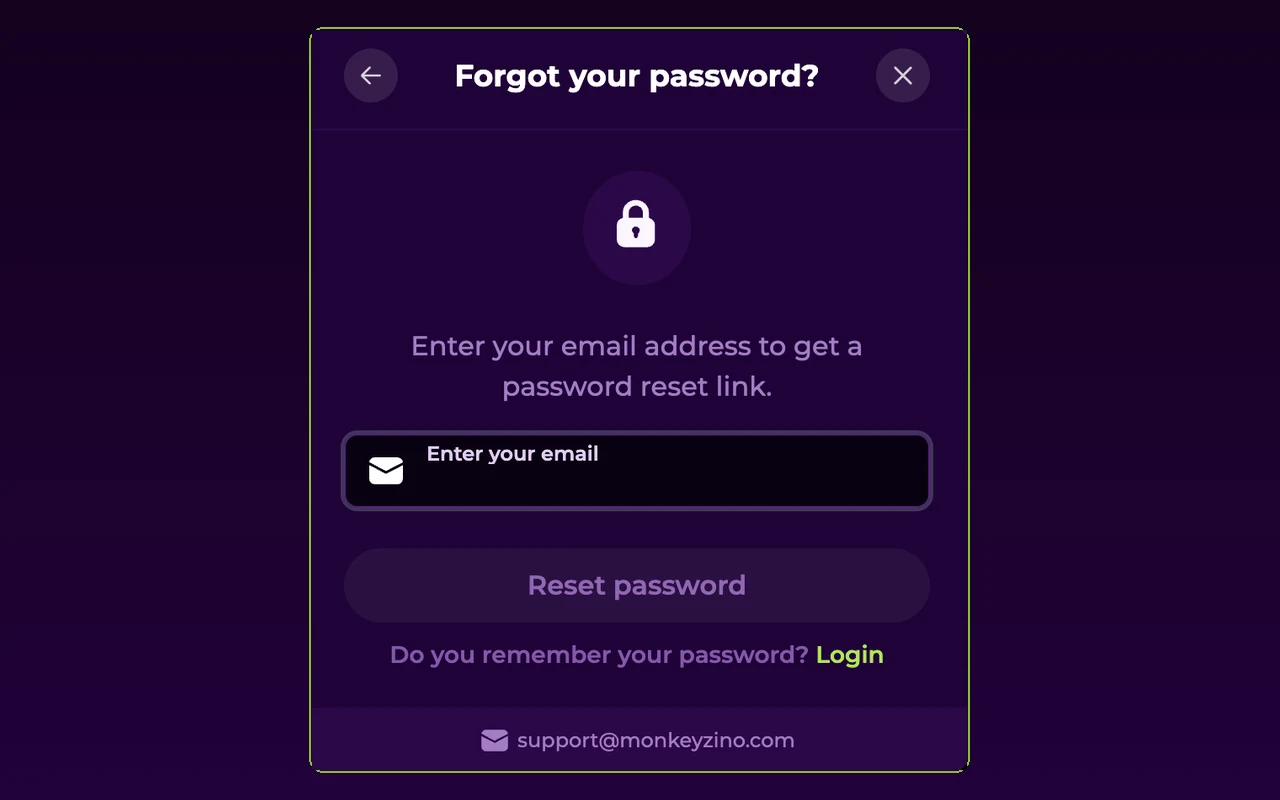
The form is one field with the instruction "Enter your email address to get a password reset link." Use the exact address you registered with.
Check your email
The site confirms: "We have sent you a password reset link to your email address." Open the message and follow the link inside.
Create a new password
The "Create new password" screen opens, with a warning worth obeying: "Your new password must be different from previously used passwords". Enter it twice.
Press "Update password"
One button and it is done. Log in with the new password straight away so it lands in your password manager while it is fresh.
Reset Email Not Arriving? Work Through This
Nine times out of ten the email exists and is simply hiding. The table covers every cause I have verified.
| Likely cause | How to check | Fix |
|---|---|---|
| It went to spam | Search all folders for "Monkeyzino", including promotions tabs | Open it there and mark the sender as safe for next time |
| You typed a different email | A typo, or an old address you registered with years ago | Request again with the right address; the site even hints at likely typos in the domain name |
| Account uses Apple or Google | You never set a password, so there is nothing to reset | Go back to the login window and press the matching Apple or Google button instead |
| Too many requests in a row | The site throttles repeats and tells you to check your email or try again in a set number of hours | Wait it out; the earlier link usually works if you find it |
| The link expired before you clicked | You see "Password reset link is invalid or out of date" | Request a fresh link and use it promptly; always take the newest email |
Choosing a Password That Won't Bounce
The form enforces this rule: "Must be 8+ chars with 1 number, 1 small and 1 capital letter". Reused passwords fail too; the backend flags them with "Insecure password detected. Password must not match the previous one used." My own approach is boring and works: let a password manager generate something long and random, and never share a casino password with any other site. If your email account itself was ever breached, change that first, because whoever controls your inbox controls every reset link.
Monkeyzino support will never ask for your password, not in chat, not by email. A "support agent" requesting it is a phishing attempt, full stop. Real resets happen only through the emailed link.
When a Reset Won't Help
A new password opens exactly one kind of lock. These are different locks. "Your account is suspended. Please contact the Support for more information." means the block sits on the account itself, and only support can address it. "You have reached your self-exclusion limit. Please contact Support to access your account." means a self-exclusion or cooling-off period you set is still running; it lifts on its own schedule, not with a password. Both cases, plus session limits and register-based blocks, are covered message by message on the login problems page.
And if the reset flow insists it does not know your email at all, you may simply never have registered on this address. The signup walkthrough takes two minutes. For everything else around account access, the FAQ page collects the short answers, and the login guide covers the normal sign-in flow.
FAQ
How fast does the Monkeyzino reset email arrive?
Usually within a couple of minutes of the confirmation "We have sent you a password reset link to your email address." If nothing shows after a few minutes, check spam and promotions folders before requesting another link.
Why does it reject my new password?
Two common reasons. The reset screen warns that your new password must be different from previously used passwords, so an old favourite will bounce. And the strength rule applies: "Must be 8+ chars with 1 number, 1 small and 1 capital letter".
I registered through Google or Apple. How do I reset a password?
You do not, because there is no password on the account. Go back to the login window and press the Apple or Google button you originally signed up with. That is the whole login.
The link says it is invalid or out of date. What now?
Reset links expire. The exact message is "Password reset link is invalid or out of date", and the fix is simply to request a fresh link and use it promptly. Always use the newest email if you requested several.
Can I request reset links repeatedly?
Not endlessly. The site throttles repeat requests and tells you to check your email or try again in a set number of hours. Find the existing email first, spam folder included, before asking for another.
I reset the password but still cannot log in. Why?
Then the password was never the problem. A suspension, a self-exclusion or cooling-off period, or an exclusion register entry blocks login regardless of credentials. Our login problems page matches each message to its fix.
Link requested, inbox checked, new password set. Three minutes and you are back at the tables.
Open the Monkeyzino login18+ | Play responsibly | T&Cs apply