
Monkeyzino Verification: Email Check, KYC Documents and Every Status Explained

Last checked: 11 July 2026
This page contains affiliate links. We may earn a commission at no extra cost to you.
Monkeyzino verifies you twice, and people mix the two up constantly. The first check is email verification, a single click that happens minutes after signup. The second is KYC document verification, the one with the passport photos, and it only really matters when you want to withdraw. Different checks, different fixes.
This page walks through both layers using the platform's own system messages, so you can match whatever is on your screen to the right step.
Not registered yet? Verification starts inside your account, so step one is having one.
Log in to Monkeyzino18+ | Documents are only ever uploaded on the casino's own site
Layer 1: Email Verification, Right After Signup
The moment you create an account, the site shows "Please check your email to verify your account" and sends a confirmation link. Click it and you are done; while the check runs you may briefly see "We're trying to verify your email" before the success screen.
Skipping this step has a real cost. Bonuses stay locked to an unverified address, and the error is explicit: "Please verify your email to activate this bonus". So if your welcome offer refuses to activate, the fix is almost never support chat. It is that one email sitting in your inbox, or more likely your spam folder.
No email after a few minutes? Check spam first, then use the resend option in your profile. The resend is throttled: push it too often and a popup tells you "Please check your email or try again in {hours} hours", with the hour count filled in by the system. Firing off ten requests only resets the wait, so send once and give it time. The full signup flow, including this step, is on the registration page.
Layer 2: KYC Document Verification
KYC is the identity check. It lives in your profile under Verification, and each document type has its own upload slot. The typical set:
| Slot | What goes in it |
|---|---|
| Proof of Identity | Passport, driving licence, or any other official government-issued photo ID |
| Proof of Address | Utility bill, phone bill, or another document issued by an official institution, showing your name and address |
| Proof of Payment (when asked) | Evidence of the deposit method, for example a card photo with sensitive digits covered or an e-wallet screenshot |
Which exact documents are accepted, how recent they must be and in what format is governed by the casino's own KYC Policy page, linked in its footer. Treat that page as the rulebook; what I describe here is the flow as it looked on my last check.
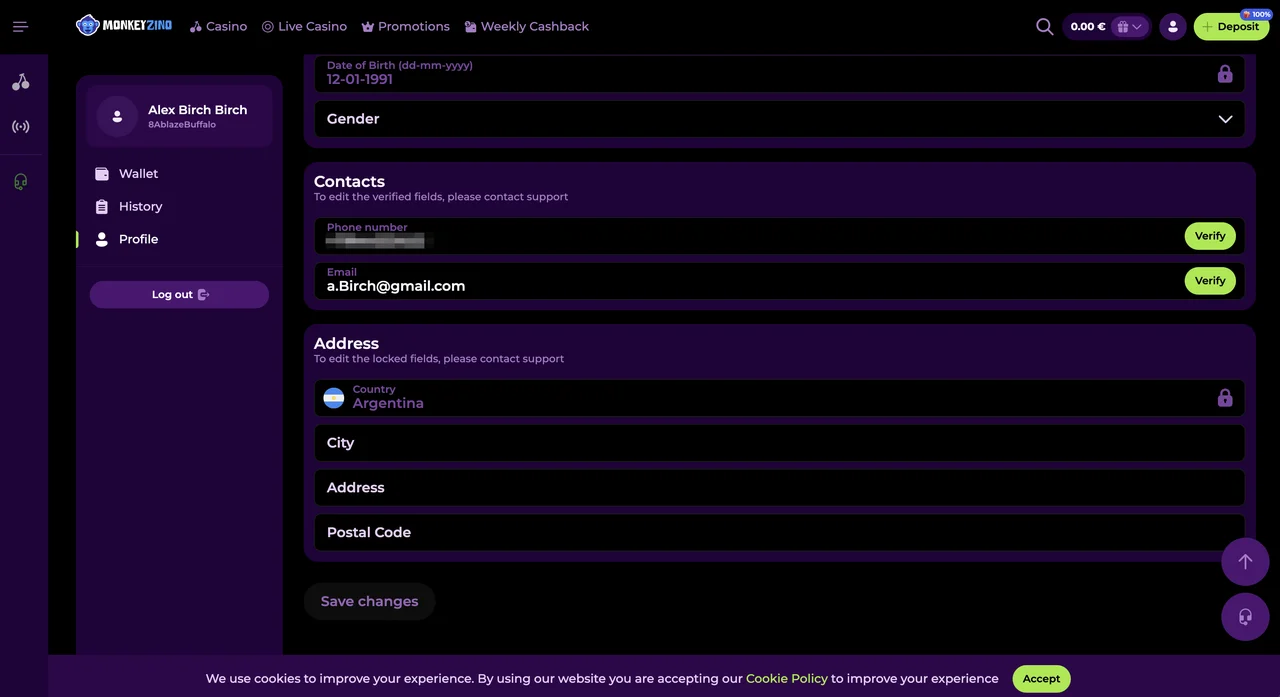
How to Upload Your Documents
Open your account menu
Log in, then open "Your account" from the header menu to reach your profile area.
Go to the Verification section
Pick Verification in the profile navigation. You will see separate slots such as Proof of Identity and Proof of Address.
Upload your documents
Drop a file into the slot or browse for it. Accepted formats are jpg, png and pdf, and each slot shows its own size limit. Confirm the upload so the files are actually submitted.
Wait for the status notification
The documents go for review, which the platform says may take up to 24 hours. You will see "verification in progress", then either "Document verification passed" or "Document verification failed".
What Each Status Means
Three messages cover the whole KYC lifecycle:
| Status | What is happening | What you do |
|---|---|---|
| "verification in progress" | Your files reached the review queue | Nothing. Reviews may take up to 24 hours |
| "Document verification passed" | You are through; the notification adds "You have passed verification. Thank you!" | Withdraw normally from now on |
| "Document verification failed" | Something in the upload did not satisfy the reviewer | Re-shoot and resubmit; see the section below |
Why KYC Exists at All
Two reasons, and neither is bureaucratic whim. First, anti-money-laundering rules: a licensed casino has to know who its players are and that funds move to the person who deposited them. Second, your own protection. Once your identity is tied to the account, a stranger with your password cannot route your balance to their card. Annoying once, then it quietly guards every withdrawal after that.
What Verification Blocks Until You Pass
Withdrawals, mainly. The cashier is blunt about it: "In order to withdraw, you need to pass verification." Request a payout with unfinished KYC and it sits in a pending state, and the banner asks you to verify your account to make withdrawals available. An unverified email can hold things up too, since the platform ties email confirmation to withdrawals as well as bonuses.
Deposits and play generally continue while documents are pending. My advice is to upload everything in your first week rather than the evening you hit a win you want paid out. A note of caution: unresolved verification can escalate. One suspension variant reads "Your account is suspended. Please complete the verification process." If you see any suspension message, the login problems page covers who to contact and what to say.
If Verification Fails
A failed check is nearly always a photo problem, not an identity problem. Before resubmitting, fix these:
Shoot the document flat, in good light, with all four corners visible. No cropping, no covering, no cutting off any part. The reviewer needs every detail legible, so avoid glare across the photo and text. Use an unedited original file; any edits or changes to the document are grounds for rejection on their own. And check the expiry date, because an expired ID fails automatically.
Resubmit through the same slot and the cycle restarts. If it fails twice with photos you are confident in, stop guessing and open the 24/7 support chat: agents can see the rejection reason even when the status message does not spell it out.
Only ever upload documents inside your profile on the casino's site. Nobody legitimate will ask for your passport over email or chat DMs, and this site never handles documents at all.
FAQ
What documents does Monkeyzino ask for?
The standard set is a government-issued photo ID (passport, driving licence or national ID card) for Proof of Identity, and a utility bill, phone bill or similar official document for Proof of Address. If you withdraw to a method you did not deposit with, proof of payment can be requested too. The casino's own KYC Policy page governs the exact acceptance rules.
How long does Monkeyzino verification take?
The platform's own notice says document reviews may take up to 24 hours. While the check runs, the Verification section shows "verification in progress". Email verification is faster: the link usually lands within minutes.
Can I withdraw before passing verification?
No. The cashier states it plainly: in order to withdraw, you need to pass verification. A withdrawal requested before KYC is complete simply waits, and can be cancelled with a note that your account is not verified.
Why did my document verification fail?
Usually the photo, not the document. Common causes are cropped corners, glare over the details, an expired document, or an edited file. Re-shoot with the whole document visible, all four corners in frame, and upload it again.
Do I need to verify my email as well?
Yes, and it comes first. Right after signup the site shows "Please check your email to verify your account", and bonuses stay locked until you click the link. Email verification and document verification are two separate layers.
Where are the exact document rules written?
On the casino's KYC Policy page, linked in its footer. That page is the binding source for which documents are accepted and how they must be presented; this guide describes the flow as we observed it.
More account questions, from password rules to session limits, are collected on our login FAQ, and the homepage maps the whole sign-in flow from the first click.
Documents ready? Sign in, open Verification in your profile and get it done in one sitting.
Head to your Monkeyzino account18+ | Play responsibly | T&Cs apply