
Monkeyzino Sign Up: The Full Registration Walkthrough

Last checked: 11 July 2026
This page contains affiliate links. We may earn a commission at no extra cost to you.
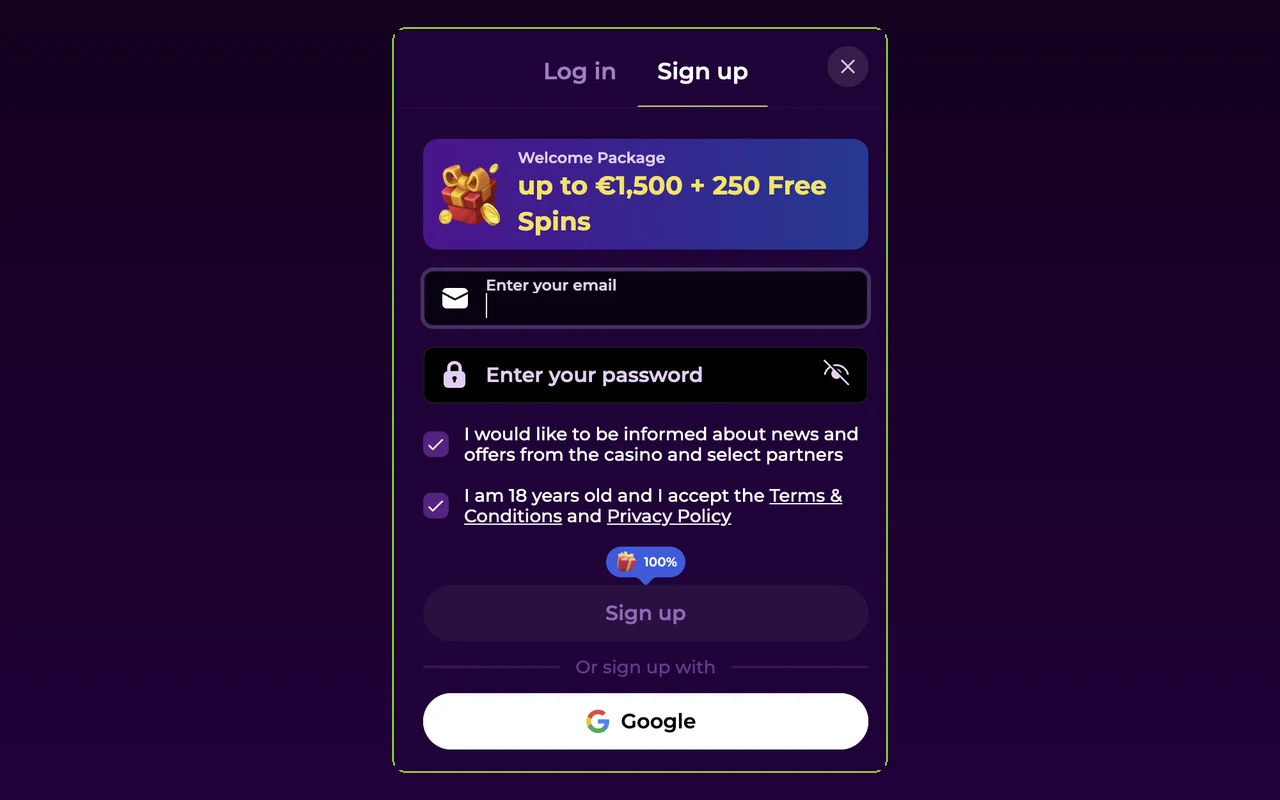
Two fields. That is the entire Monkeyzino registration form: an email address and a password. No name, no phone number, no address at this stage. The window that opens is headed "Sign up & get welcome bonus", and if even two fields feel like work, there are one-tap buttons labelled "Sign up with Apple" and "Sign up with Google" underneath.
The only step people skip, and then regret, is email verification. I will flag it twice on this page because unverified accounts cannot activate bonuses and cannot withdraw.
Start on the right address. This button routes to the casino's current domain, where the lime Sign up button sits top right.
Log in to Monkeyzino18+ | New players get a 100% match on the first deposit | T&Cs apply
Step-by-Step: Creating a Monkeyzino Account
Open the official site
Use a current link, not an old bookmark; the casino rotates access domains. Once the page loads, look top right for the lime Sign up button.
Click "Sign up"
A window headed "Sign up & get welcome bonus" opens. This is the whole registration form, right there in the overlay.
Enter email and password, or use one tap
Type the email you actually read and choose a password. Or press "Sign up with Apple" / "Sign up with Google" and skip the typing entirely.
Confirm 18+ and the terms
Tick the age and terms boxes. The welcome bonus opt-in sits in the same window, along with an optional checkbox for news and offers by email.
Check your inbox and verify
The site shows "Please check your email to verify your account". Open the message, click the link, done. Nothing in spam? Give it a few minutes, then use the resend option in your profile.
The Welcome Bonus, and the Catch Nobody Reads
New accounts can opt in to a 100% match on the first deposit; in the casino's own words, "make your deposit and get back twice as much". Free Spins offers appear alongside it. The catch is small print you will hit as an error message: "Please verify your email to activate this bonus". So the bonus is not tied to the deposit alone, it is tied to a verified email. Confirm the address before you deposit and the whole thing activates cleanly.
What You Provide at Signup vs What Comes Later
Registration is deliberately light. The heavier identity checks arrive when you first withdraw, not when you join. Here is the split.
| Stage | What is asked | When |
|---|---|---|
| Signup form | Email and password, or an Apple/Google account; 18+ and terms confirmation; optional bonus and news opt-ins | At registration, about two minutes |
| Email verification | One click on the link the casino sends you | Right after signup; required for bonuses and withdrawals |
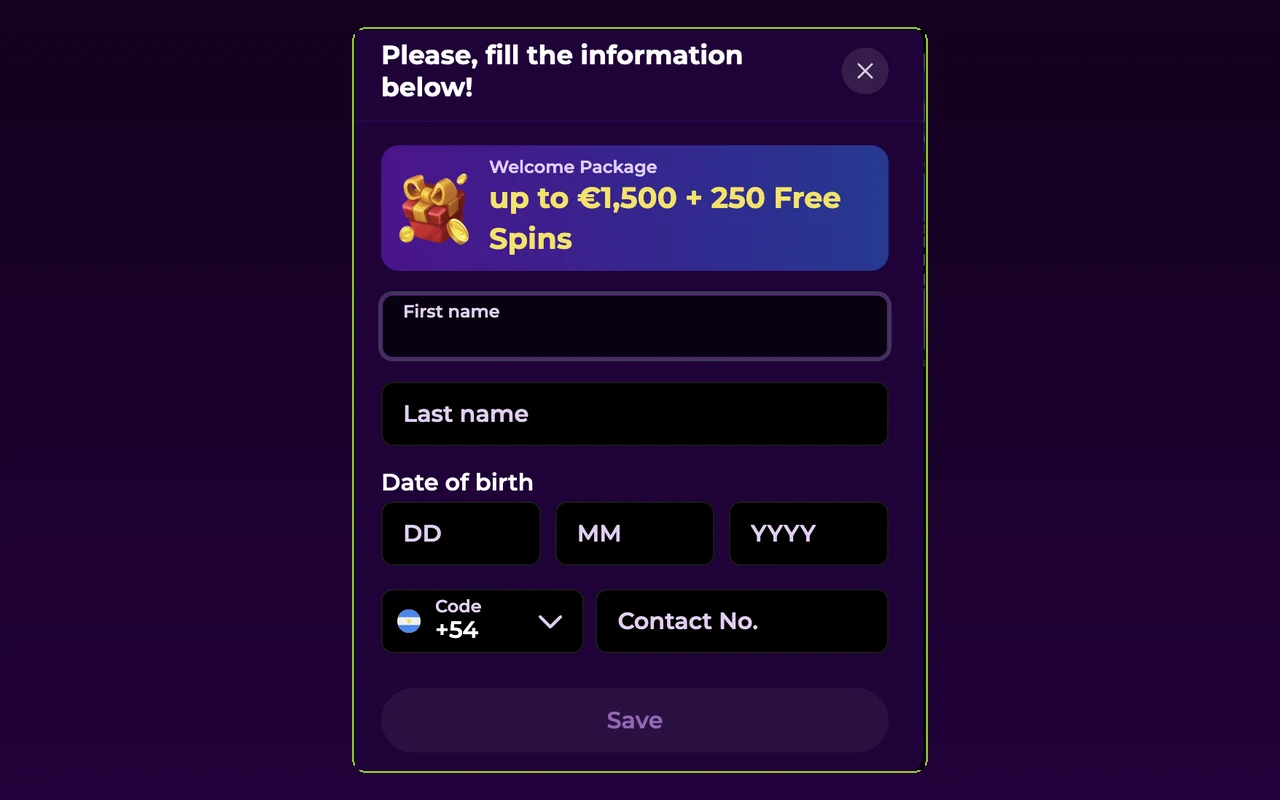
| Profile details | Name, birth date, country, city, address and similar fields | Before your first withdrawal at the latest |
| KYC documents | Photo ID (passport, driving licence or other government ID) and proof of address such as a utility or phone bill | When the cashier asks; see the verification guide |
Common Signup Errors and What They Mean
Three messages account for almost every stumble I hear about.
"You are not registered." You tried to play for cash without an account, or your session expired mid-browse. The follow-up line is literal: "Please register to play with cash." Run the five steps above and the message goes away.
"An account with this email already exists." Past you got there first. The site's own instruction is to log in or press «Forgot password» to recover access. Resist the urge to register a fresh email; that creates a duplicate, and duplicates cause the next problem.
Password rejected. The rule is printed under the field: "Must be 8+ chars with 1 number, 1 small and 1 capital letter". Symbols outside the allowed set also trip it.
One account per person, strictly. The system cross-checks new signups and shows "Oops, it looks like you have another account. You cannot receive this bonus." when it finds a duplicate. Beyond the lost bonus, duplicate accounts breach the terms and can be closed with the balance in dispute. If an old account exists, recover its password instead.
Registered but Still Can't Get In?
If the account exists, the email is verified and the password is right, yet the door stays shut, the cause is usually a restriction rather than the login form. Suspensions, self-exclusion periods and session limits each produce their own message; the login problems page maps every one of them to a fix. And a standing rule worth repeating: Monkeyzino support will never ask for your password. Anyone who does is phishing, however official the message looks.
FAQ
How long does Monkeyzino registration actually take?
About two minutes including the email verification click. The form itself is only an email field, a password field and two checkboxes. The Apple and Google buttons are faster still.
Can I sign up with Google or Apple?
Yes. The registration window has "Sign up with Apple" and "Sign up with Google" buttons. The account is then tied to that provider, so later you log in with the same button rather than a password.
Do I have to verify my email?
Yes. After signup the site shows "Please check your email to verify your account". You can browse without it, but bonuses stay locked; the system message is "Please verify your email to activate this bonus". Withdrawals also require a confirmed email.
What are the password requirements?
The form validates against this rule: "Must be 8+ chars with 1 number, 1 small and 1 capital letter". Pick something you have never used elsewhere and store it in a password manager.
It says an account with this email already exists. What now?
You have registered before, possibly years ago. The site's own advice is to log in or press «Forgot password» to recover access. Do not create a second account with another email; duplicates breach the terms. The reset walkthrough takes a minute.
Can I open a second Monkeyzino account?
No. One account per person. The system detects duplicates and shows: "Oops, it looks like you have another account. You cannot receive this bonus." A duplicate can also cost you the balance if the accounts are closed, so recover the old login instead.
Form, checkbox, inbox. Two minutes from now you can have a verified account with the welcome bonus armed.
Sign up at Monkeyzino18+ | Play responsibly | T&Cs apply